

Find Blox in the email builder
Blox are the ready-made, on-brand building blocks you build emails with. Search and filter to find the one you need.Before you start
- Open an email in the builder. See Create an email.
Steps
- Open Blox in the left sidebar.
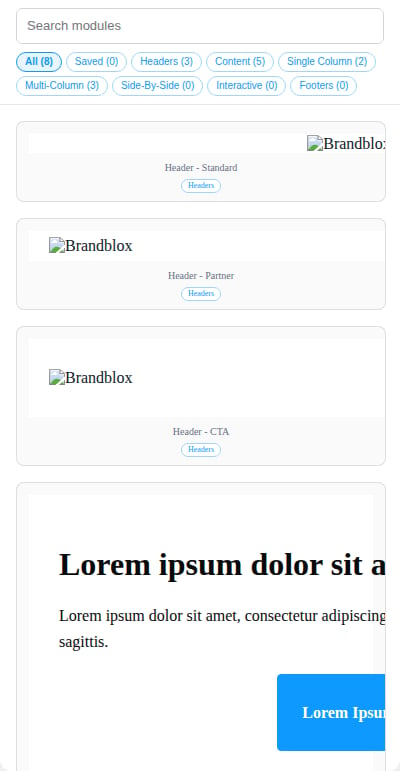
- Optional: type in the search box to find Blox by name, for example
header,carouselorfeedback. - Optional: click a filter at the top: All, Headers, Content, Single Column, Multi-Column, Side-By-Side, Interactive or Footers.
- Drag the Blox you want onto the canvas.
Good to know
- Each card shows the Blox name (for example Header - Standard) with its categories underneath.
- A Blox can belong to more than one category, for example Content, Single Column and Interactive.
- The categories on a card are labels only. Use the filters at the top to change which Blox you see.